আমি আমার ইমেল ঠিকানা আপডেট করতে পারছি না
In order to update your email address:
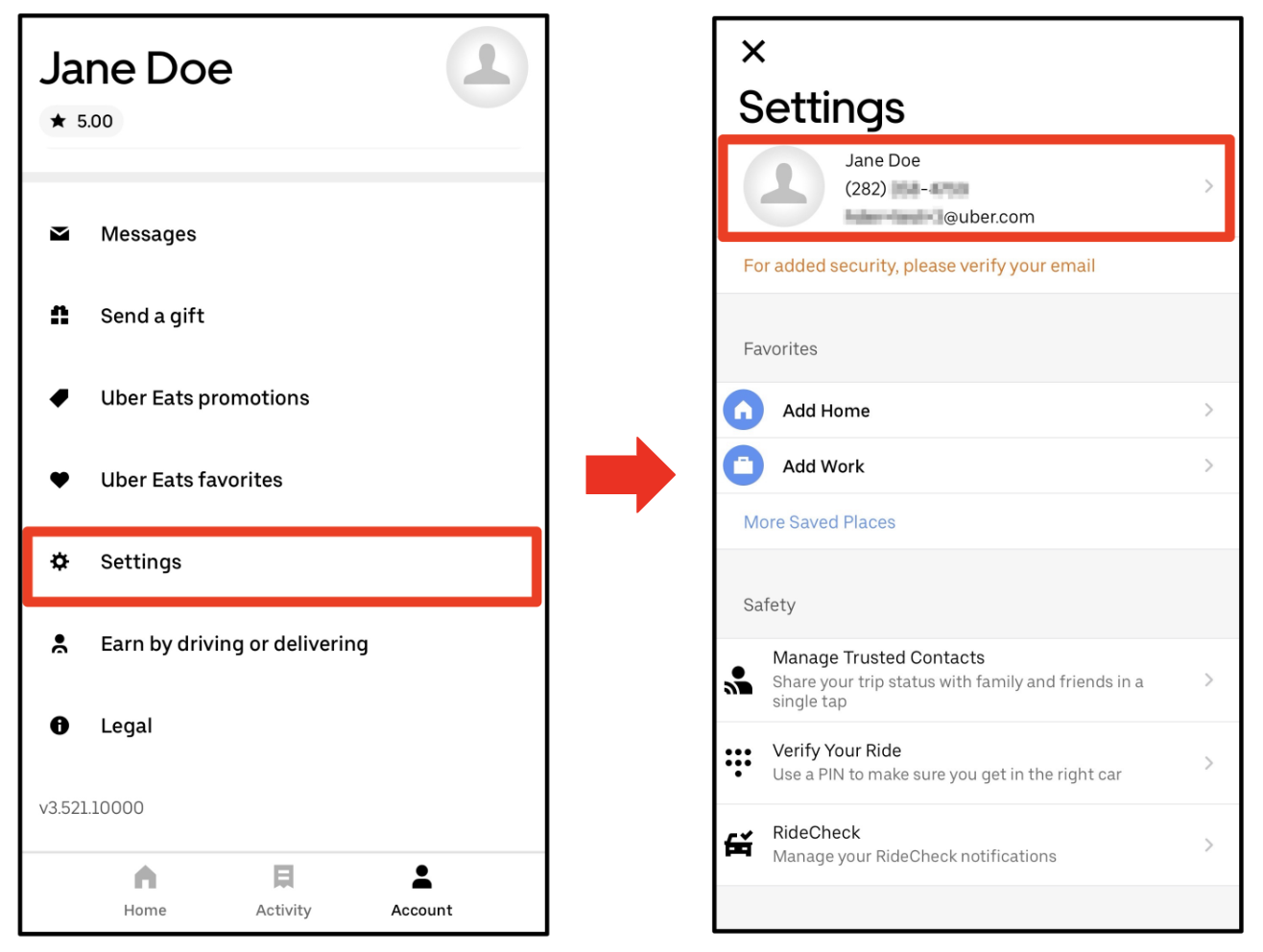
1. Select the Account button
2. Scroll down, select Settings, then select your personal info at the top
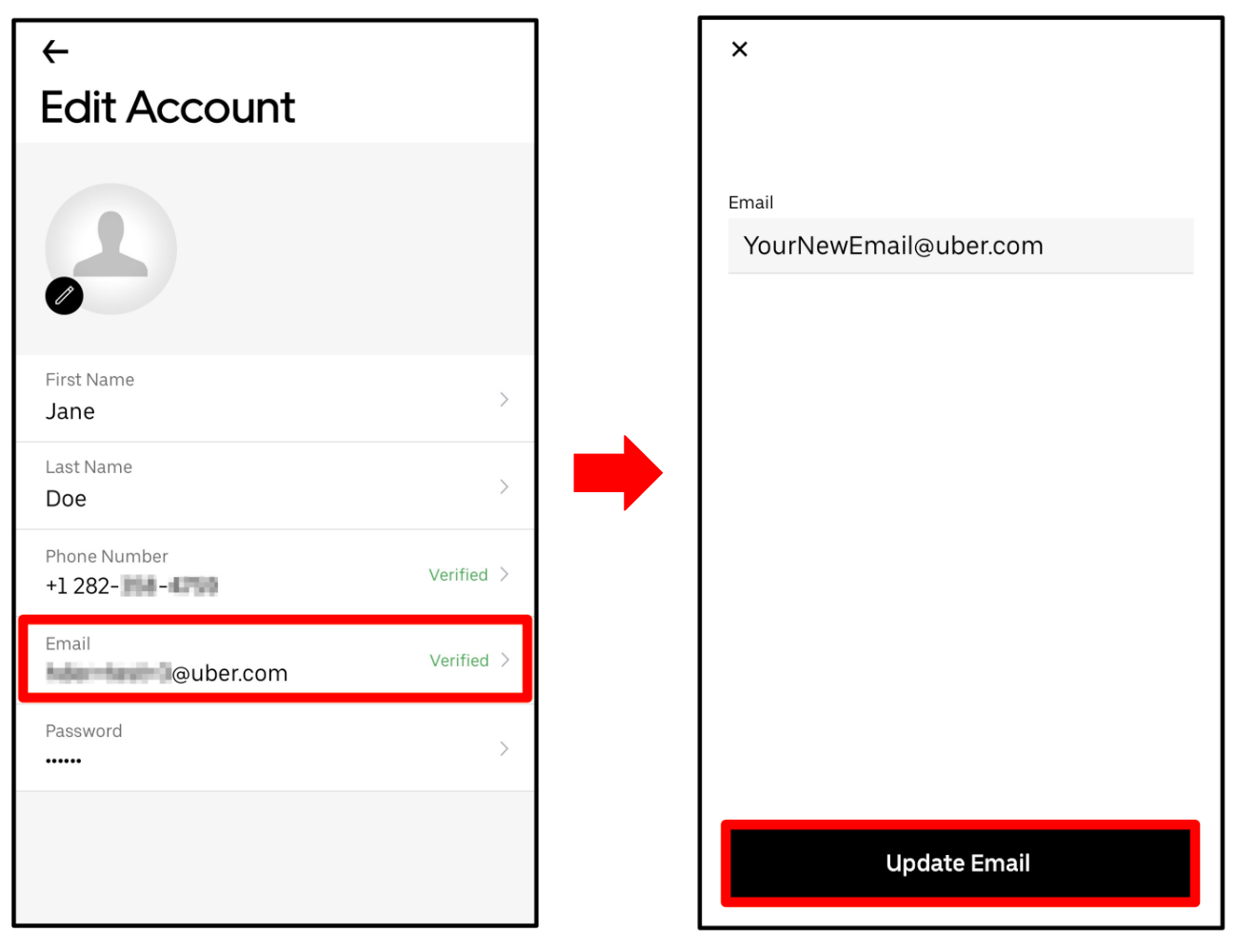
3. Select your old email address and input your new one
If the above steps don’t work, please fill in the information below. It’s always recommended to check the spelling of your email.
This website uses third-party cookies to serve you relevant ads and provide personalisation by remembering your location. You may opt out from these cookies by selecting the "Opt out" button below. If you have an Uber account, you may opt out of the "sale" or "sharing" of your data here.