Troubleshooting Uber Eats Manager Login Issues
Error: Couldn’t log in to UEM using UEO credentials
Error Message: Login error: Try with another email.
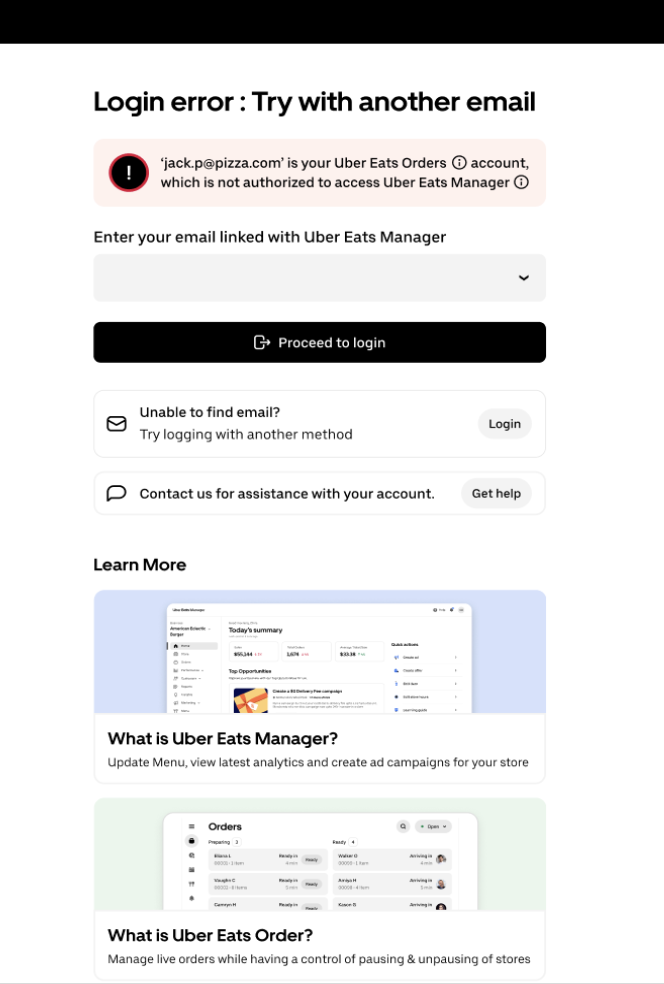
Encountering this error means you’re attempting to log in to Uber Eats Manager by using your Uber Eats Order credentials.
We encourage you to follow the instructions, since the new error screen now provides details about your credential mismatch. To resolve your issue, just follow the dropdown or guided login process.
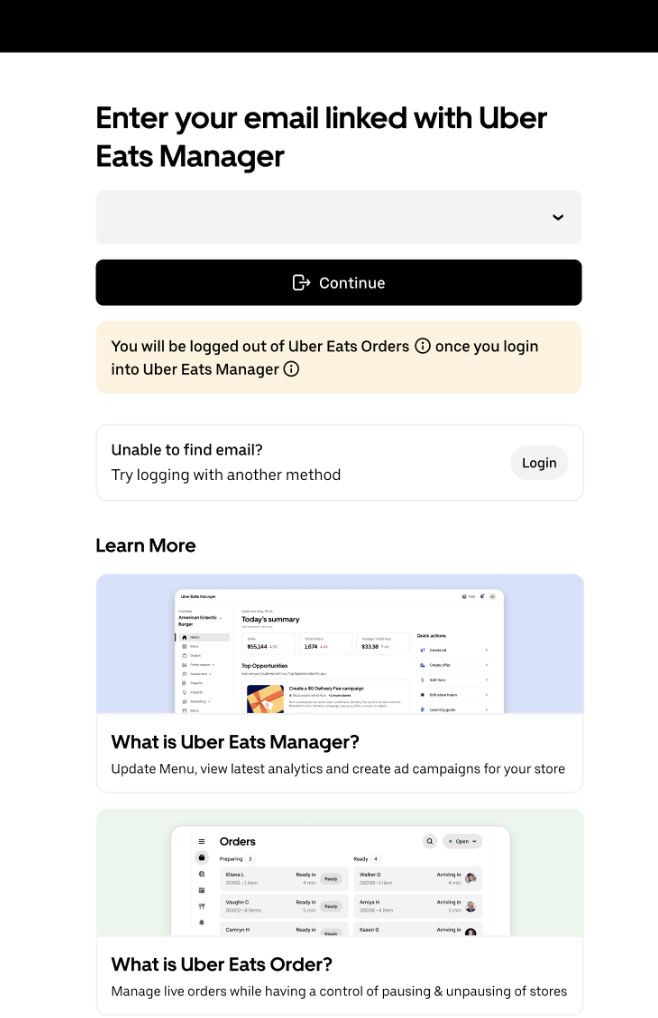
Error: Email not linked to this store
Error Message: {email} does not have access to this store.

Encountering this error means you’re logging in with a different email address than the one your original invite was sent to.
We encourage you to try the following:
Double-check that you’re using the correct email and ensure there are no typos or extra spaces
The login screen should show a message with the correct email address needed to access your store
If the displayed email isn’t yours or you’d like to update it, please contact support for assistance
Error: We Couldn’t Find Your Account
Error Message: {email} seems to be incorrect. Enter the email linked to the Uber Eats Manager account.
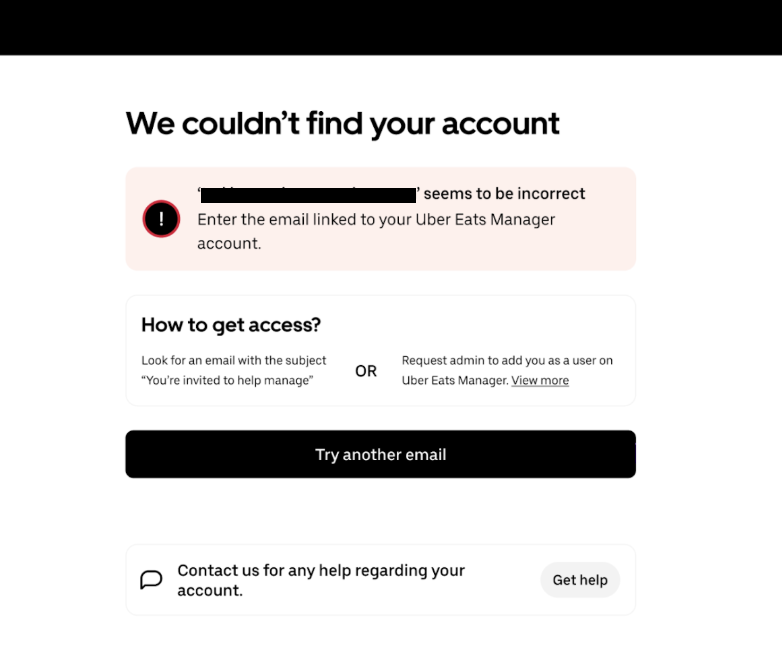
Encountering this error means your email is not associated with any store on Uber Eats
We encourage you to try the following: 1. Verify that the email you’re using is the one associated with your merchant account
If you recently signed up, ensure your account has been activated
Search your inbox for an invite email with the subject “You’re invited to help manage {store name} on Uber Eats” and finish set up
You can also request the account admin to add you as a user on Uber Eats Manager, see this article
If you’re still having issues, contact support for help
Error: Store is not operational
Error Message: Your store is currently not operational on Uber Eats. Contact support to update your store status and launch your store.
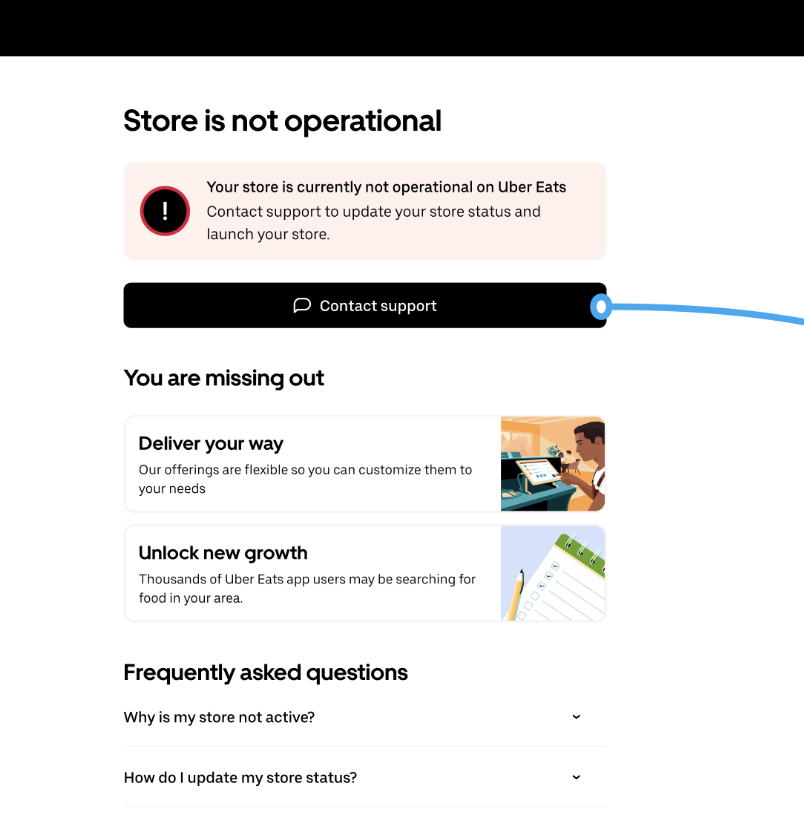
Encountering this error means your storefront is in lost status or has been deactivated for some reason.
We encourage you to contact support for help.
If the error you’re getting is not related to any of the above, contact support for further assistance.
Can we help with anything else?