I can't update my email address
In order to update your email address:
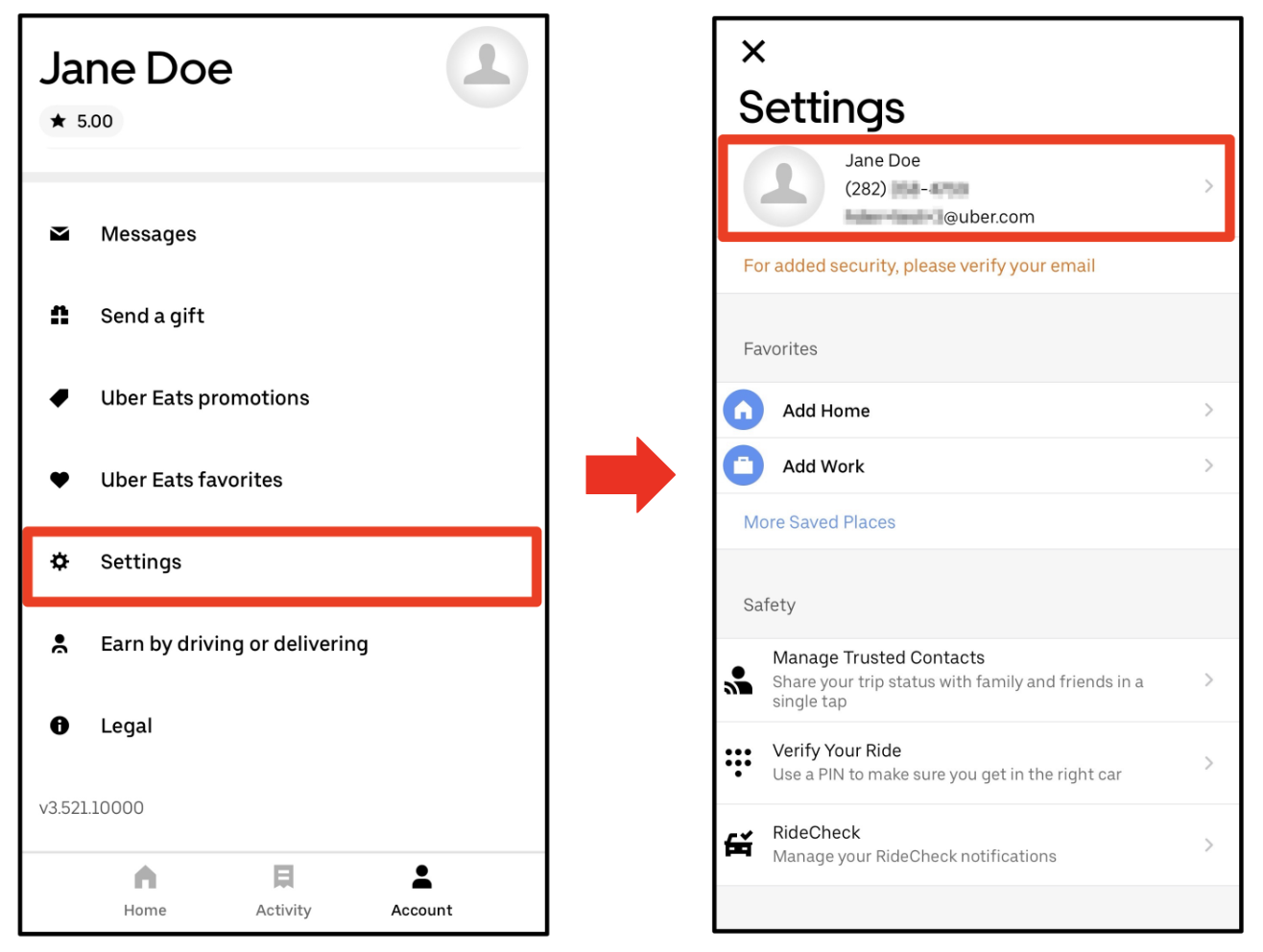
1. Select the Account button
2. Scroll down, select Settings, then select your personal info at the top
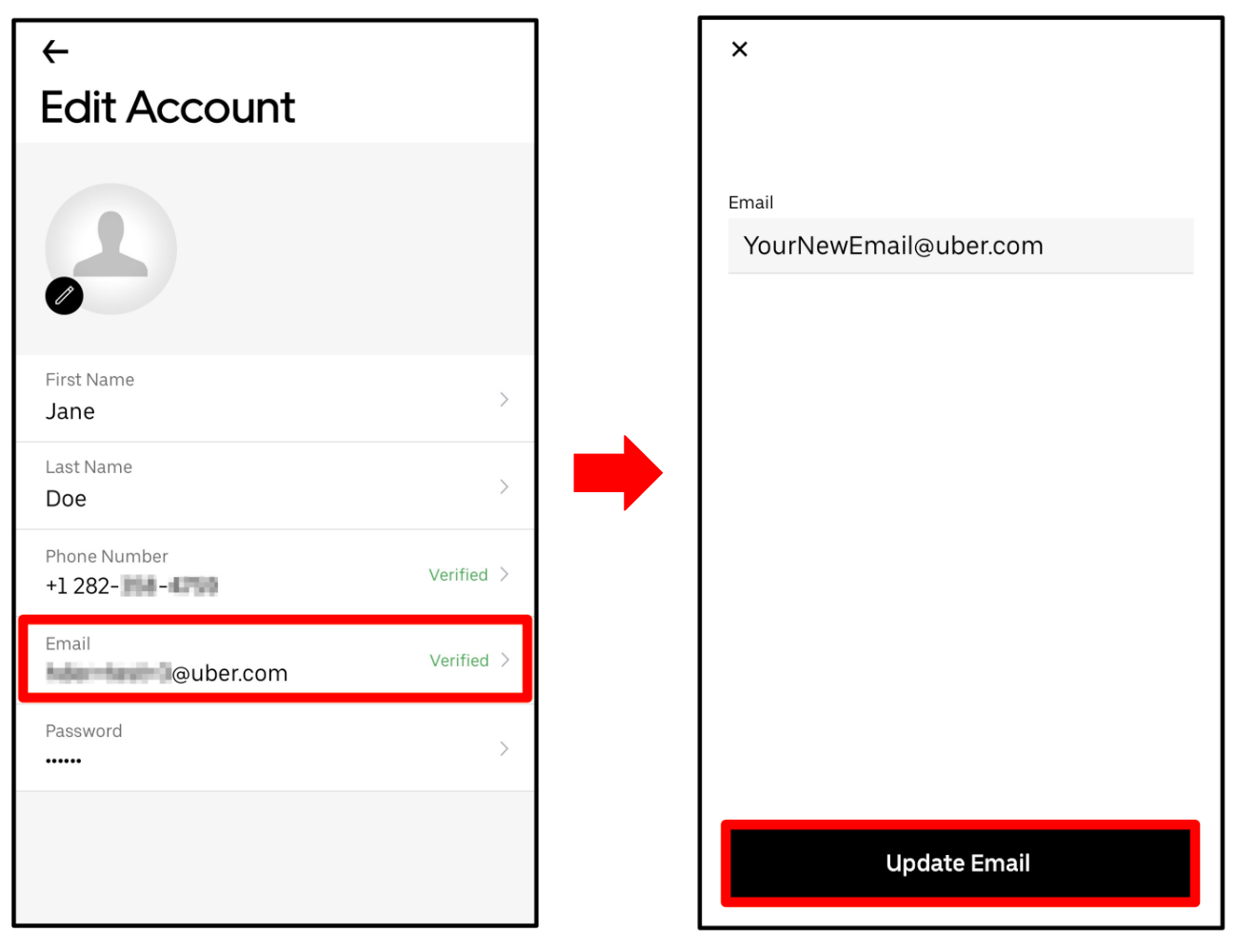
3. Select your old email address and input your new one
If the above steps don’t work, please fill in the information below. It’s always recommended to check the spelling of your email.
Ovaj veb-sajt koristi kolačiće trećih strana kako bi vam prikazivao odgovarajuće oglase i pružio personalizaciju pamćenjem vaše lokacije. Možete onemogućiti ove kolačiće izborom donjeg dugmeta „Onemogućiti“. Ako imate Uber nalog, možete onemogućiti „prodaju“ ili „deljenje“ vaših podataka ovde.