How to use vouchers
This page explains how to use and notes about vouchers. If you are interested in purchasing vouchers, please see “Uber for Business” and “Vouchers and gift cards”.
How to receive a voucher and check the usage conditions
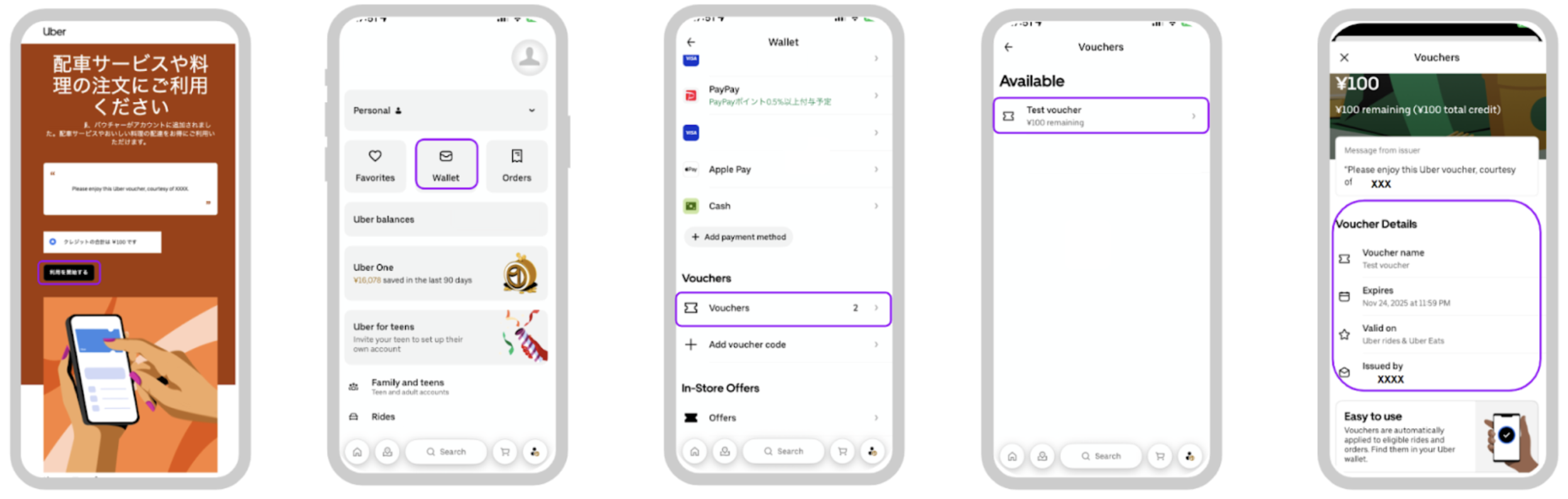
- Tap “利用を開始する” (Begin to use) in the email or message about the Uber Eats voucher (If the voucher is not added, please enter the code manually.)
- Tap Account at the bottom right of the screen and “Wallet”
- Tap “Vouchers”
Important Notes Before Use
Cash Not Accepted: Registration of a non-cash payment method is mandatory before use.
Not Available for Business Profiles: Vouchers can be used for personal profiles only.
If using electronic payment methods, please maintain a sufficient balance: A temporary authorization hold for the full order amount will occur at the time of ordering, but this will be automatically released upon order completion. (Rakuten Pay is not available at some merchants.)
Vouchers may have usage limits: Please check the voucher’s terms and conditions before use.
Example: If you ordered once and have 1,000 yen remaining until the limit in your account.
- Maximum number of use is 1: The remaining 1,000 yen cannot be used.
- Maximum number of use is 2 or more/ no limit: The remaining 1,000 yen can be used for your next order.
Expiration Check: The delivery must be completed by the voucher’s expiry date. Note: If the actual delivery completion time is after the voucher’s expiration date, the voucher will not be valid.
Voucher Application Priority for Simultaneous Orders: If multiple orders are placed concurrently, the voucher will be applied to the order that completes delivery first.
Voucher Toggle Setting: Please confirm that the ‘Use Voucher’ toggle is set to ON.
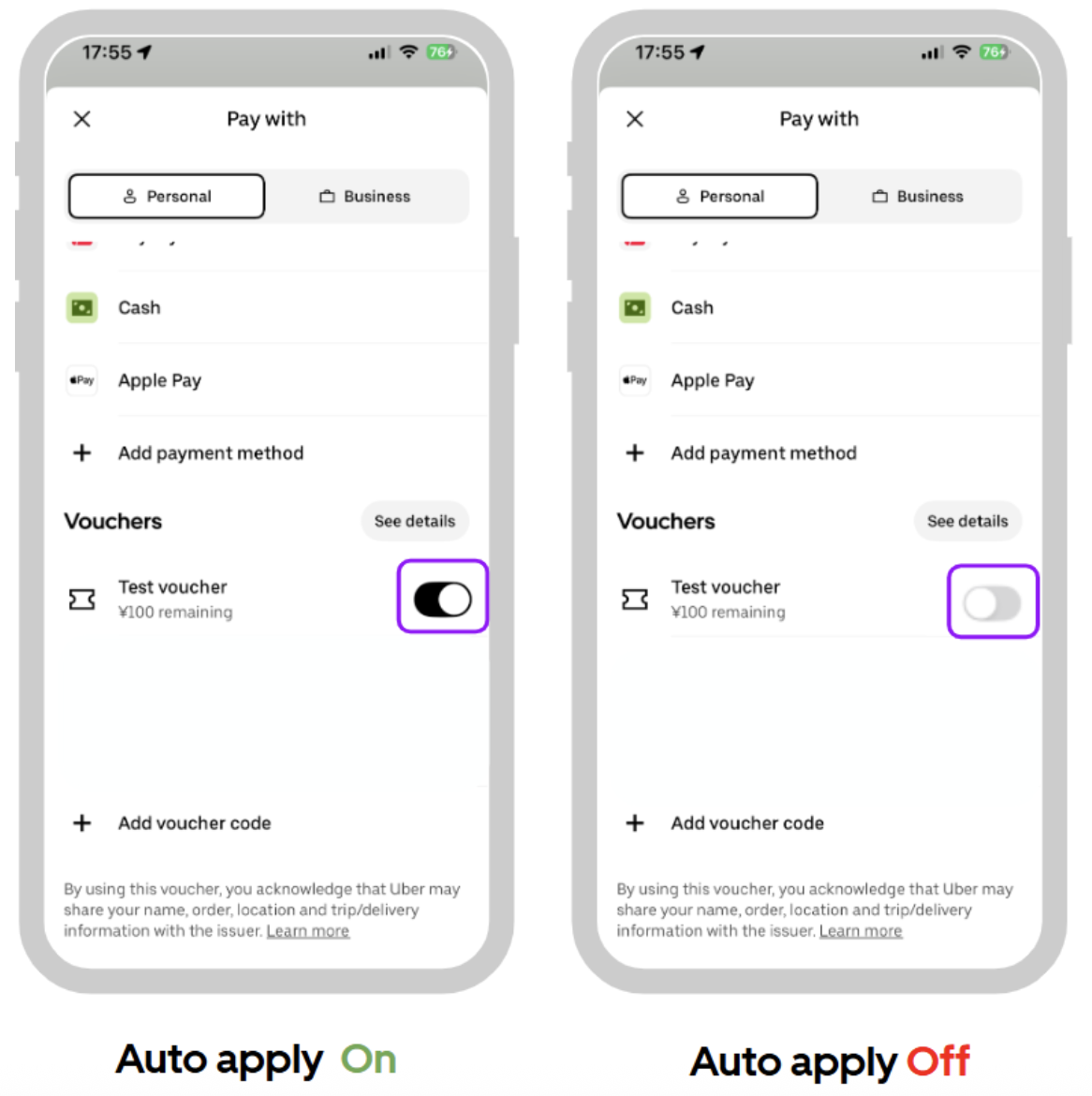
How to Apply and Confirm Vouchers
Vouchers registered in the app will be applied automatically. The system automatically applies vouchers starting with the one that expires soonest. Please check which voucher is applied on the screen before placing your order.
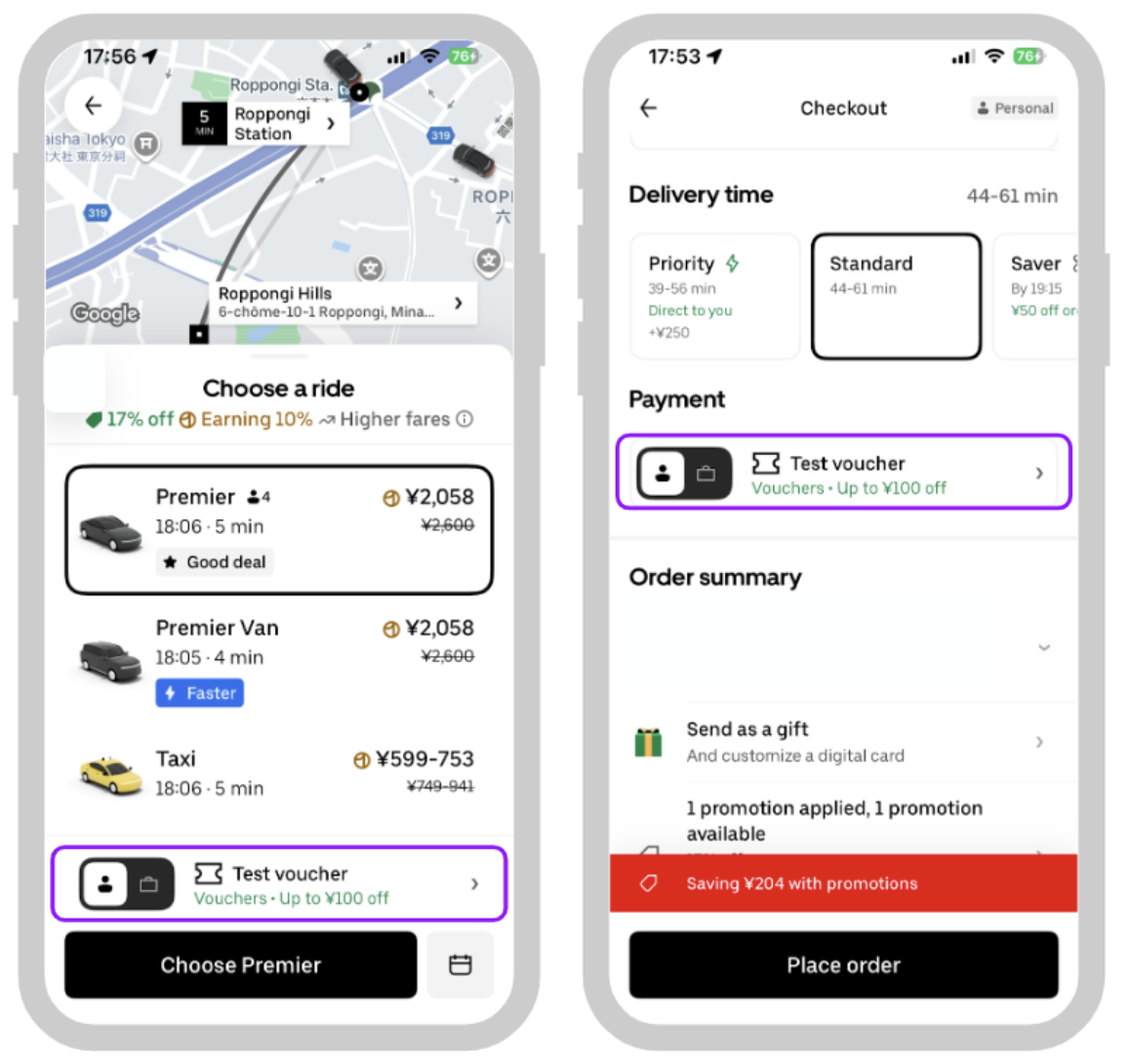
If you have multiple vouchers and want to select a particular one:
Note: Only one voucher is applicable per order.
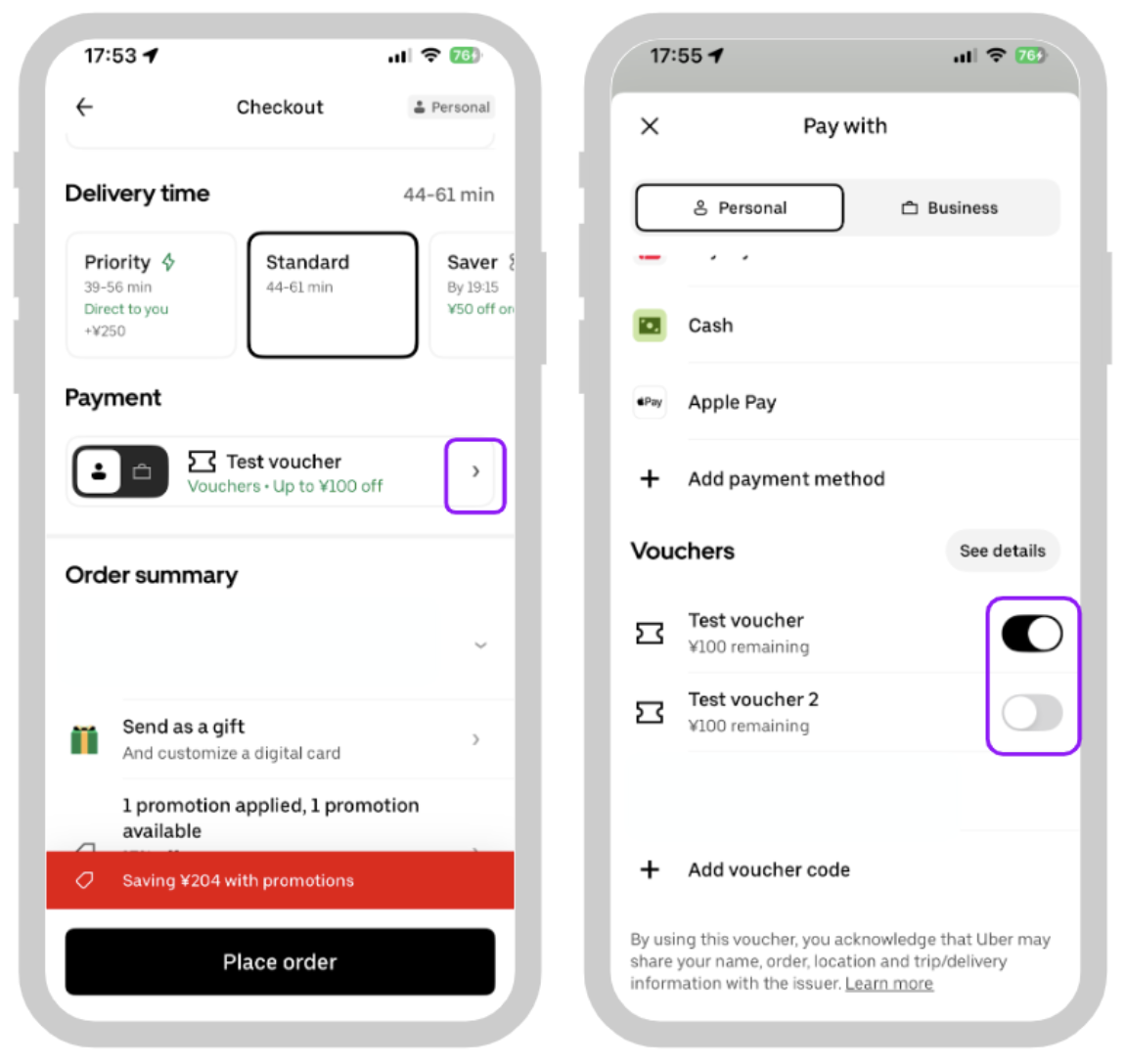
- Tap “ > “ on the right side of the Payment options.
- Set the toggle for the voucher you wish to use to ON. The voucher that is toggled ON will be automatically applied to your order.
FAQ
What happens if a refund is issued for an order/ride paid with a voucher?
Refunds will be prioritized to the personal payment method.
If I receive multiple vouchers from the same campaign, can I use all of them?
Only one voucher per person can be used per campaign.
My voucher is not appearing in the app. What should I do?
Please check if your app is the latest version. If the app is already updated, please try force-closing and then restarting the app.
Can vouchers be used for orders or rides?
It depends on the type of voucher. Some can only be used for orders, while others can be used for both orders and rides. Please check the “How to receive a voucher and check the usage conditions” mentioned above for details.
Other notes
- Once a voucher has been applied to an order, it cannot be reversed or reapplied to another order.
- Support cannot reinstate or reissue vouchers. Please contact the issuing company.
Please visit “I need help with an Eats Voucher” for further assistance.