Necesito ayuda para eliminar mi cuenta Uber Eats
You can delete your Uber account through the app or a browser. If any of the following applies to you, please complete them first.
Note
Any unused credits, promotions, or rewards are removed as well.
Pre-steps to complete
- Confirm contact information: A verification code will be sent to confirm your identity. Make sure you have a phone number or email address registered to your account that you can currently receive messages on. If your contact information is outdated, update it. If you encounter issues updating, refer to “Update profile”
- Cancel Uber One: Deleting your Uber account does not automatically cancel your Uber One membership. If you’re subscribed, cancel it by referring to “How do I cancel my Uber One membership?”
- Clear outstanding payments: If you have any unpaid balances, refer to “Payment Arrears on an order” to resolve them.
- Unsubscribe from emails: If your email or SMS settings are still turned on, you may continue to receive messages after deleting your account due to processing delays. Refer to “Manage my notification settings” to turn them off.
Steps for Deletion
App
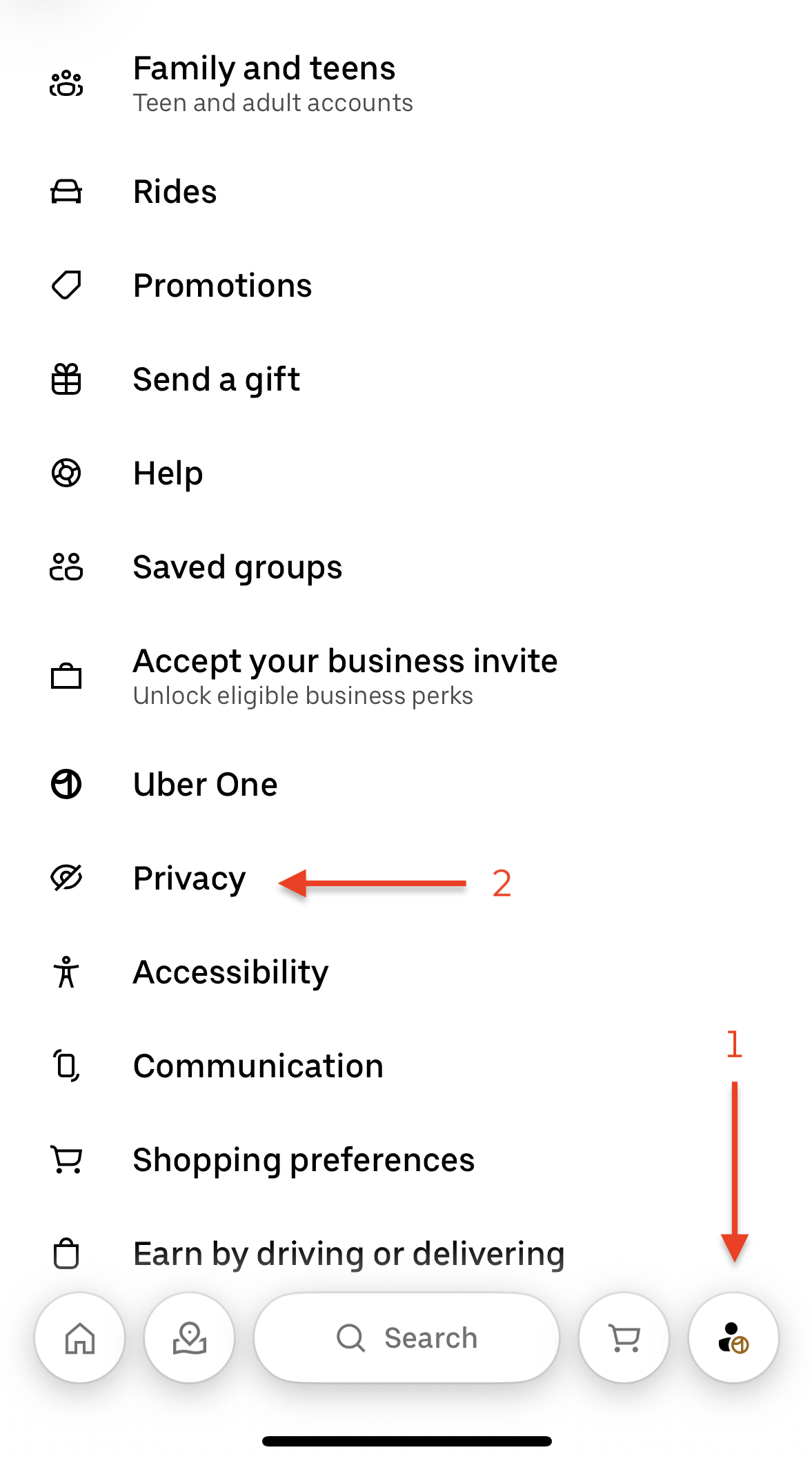
- Tap “Account” at the bottom of the screen.
- Tap “Privacy.”
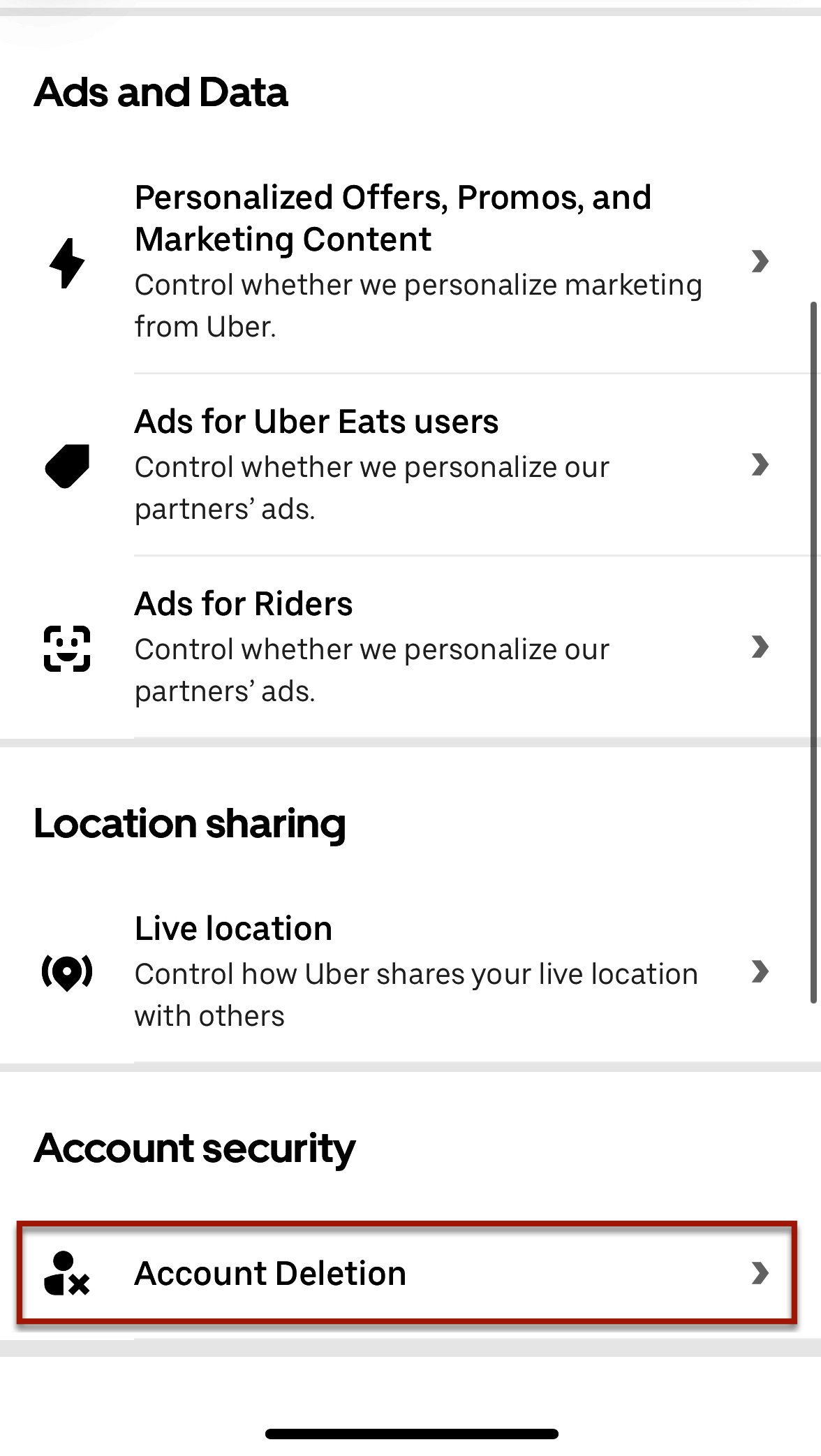
- Under “Account Security” tap “Delete Account” and follow the on-screen instructions, including verifying your identity.
Please refer to the screenshot below for each step.
Web Browser
- Click “Manage Account” from the menu (three horizontal lines) in the top left corner.
- Click “Privacy Center” under “Privacy and Personal Data”
- Under “Account Security” click “Delete Account” and follow the on-screen instructions, including verifying your identity.
Restoring your account
You can restore your account within 30 days after deletion by signing back into your original account at ubereats.com.
Retention of information
Uber may retain certain information even after your account is deleted, in accordance with legal obligations or permissions.
Contacting Support
If you need support with deleting your account, please contact us through the form below.
Reason for deletion (optional)
Do you want support to delete the account for you? * Note: All unused credits, promotions, and benefits on the account will be deleted.
Email address for the support team to contact you